Welcome to the “consueto” (“usual”, for the non-spaghetti-speaking ones) appointment with What’s new in performance, right after publishing a new major version by our fabulous heroes in the product group.
Dynamics 365 Business Central 2026 Wave 1, version 28, has one super big and relevant feature for all Online environments:
Enable/Disable Indexes in the UI
And this is quite easy.
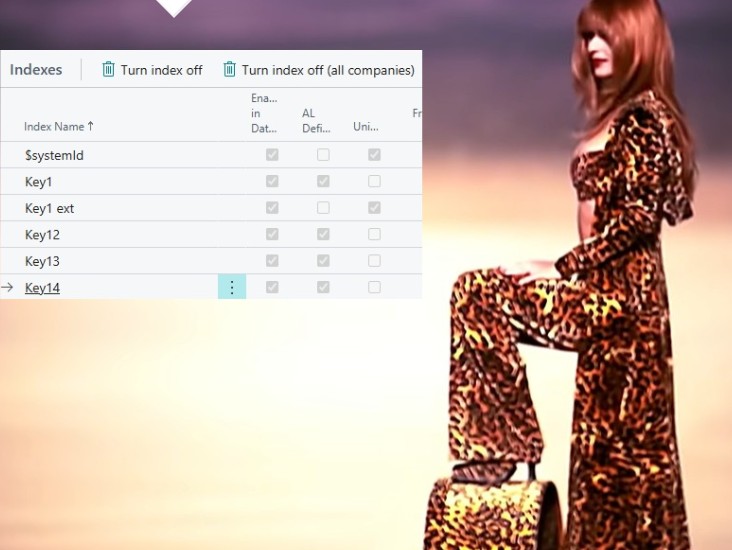
Go to Table Information page, select the table that holds the index that you want to turn on/off, drill down to Table No., select the index and click on “Disable Index” (or “Enable Index”).
And you can do this for the current company or for ALL the companies – this granularity was not part of disabling / enabling indexes in CSIDE 😉 -. How about that?…
Now, some of you might yawn and say:
“well… that does not impress me much. What a surprise, it was already possible in older versions…”

Where older means until last hybrid version Dynamics 365 Business Central April 2019 release, version 14.
TRUE !
But, hey, remember the “prodigal son” ?
There you go. It is back!
And it is not simply back where it was previously – in the development environment – : it is back in the Client!
I have worked with this feature in preview and now in the RTM version quite a lot and this “new” (let’s call it this way, if you don’t mind) feature is quite… simple but effective.
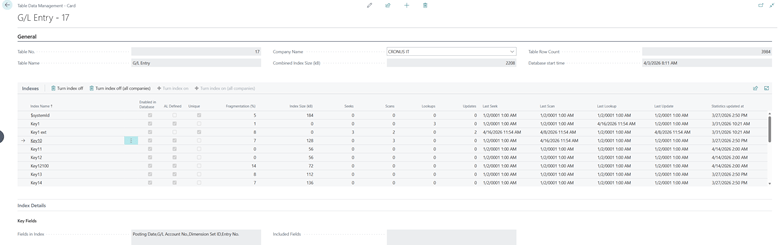
Imho, still it needs some tweaks and joy to be mature (e.g. it does not have an AL API equivalent nor give the possibility to turn off Indexed Views aka VSIFTs or register in the client if it was manually disabled/enabled and when and by whom…) but – boy oh boy – the statistics that surfaces are just good enough to establish a discrete index optimization practice.
And together with telemetry? Pure explosive!

I do not want to get into more details about this or other features since there will be 3 other blog posts as part of this what’s new series (some with simple AL samples – or sample AL simples… -).
There it is the list of goodies and some useful link to official docs or videos, as starters:
APPLICATION
DEVELOPMENT
TELEMETRY
- sqlServerSessionId in more signals with sqlStatement
aaaaand…
below the usual ranking in the history of performance features introduced and their impact, starting from Dynamics 365 Business Central 2023 Wave 2, version 23.
Again, this is my own personal list:
| 23.x – 2023 W2 | new extension model, tri-state locking |
| 26.x – 2025 W1 | inventory posting optimized concurrency, omit calculations of hidden flow fields, stepping stone |
| 28.x – 2026 W1 | enable/disable indexes in the UI, sqlServerSessionId in more signals |
| 27.x – 2025 W1 | optimized Flow Fields, SQL Statement in AL Profiles |
| 25.x – 2024 W2 | scheduled profiles, modern search |
| 24.x – 2024 W1 | improved Number Sequence |
Dynamics 365 Business Central 2026 Wave 1 is ranking #3, placing it right after the 2 Armageddon version. Considering the online version, it is just close to a ground-breaking version, with this capability of disabling / enabling indexes at will.
If you understand where to put the hands on, you might achieve faster writes (insert, update, delete) by reducing the number of bad (unused) indexes or faster reads, by enabling indexes at will and only if/when needed.
Be careful! I know it is sexy playing with hide and seek with indexes but, believe me, this is not a toy!
Enabling or disabling (optimizing) indexes is more than a simple technical drill.
It is AN ART !
And with version 28, now you could be an artist too (hope not a minimalist nor a surrealist… or the execution time of a procedure might take more than a simple clock lapse… “The persistence of a procedure”)