
This blog post is dedicated to all braves who dare to commit platform and application changes for good, no matter if code lines were there since the dawn of time.
Working hard on upgrading and updating all our customers to the latest version, I was waiting for 2025 Wave 1 (v26) to be officially in Preview to finally shout out all the goodies it goes with. And suddenly I realized another Armageddon was coming…

This version will yet be different, and it will get in as a devastating Armageddon. In a positive way, of course.
Let me rephrase a bit, with a sort of timeline starting from earlier versions:
- …
- Version 22 (2023 Wave 1): quiet
- Version 23 (2023 Wave 2) : Armageddon Version
- (new table extension paradigm and tri-state locking enablement)
- Version 24 (2024 Wave 1): quiet
- Version 25 (2024 Wave 2): quiet
With quiet = I might have a normal excitement (let me put it like that) for the version, because of specific application or platform features / enhancements.
But the Armageddon version… mmm… they are SPICED ! So…
- Version 26 (2025 Wave 1): ARMAGEDDON version
And you do not want to miss a thing of it. I promise.

And for several reasons.
- Stepping-Stone.
It was announced and now it is coming. The thermonuclear global prune of Dynamics 365 Business Central entities since version 14.x (2019 Wave 1). The official list of what will happen behind the scenes is reported here:
Deleted objects in the Base App and first-party apps – Business Central | Microsoft Learn
And Microsoft also published a clean-up list
Essential Clean-Up Guide for Partners: 2025 Release Wave 1 – Microsoft Dynamics 365 Blog
… But I do not want to repeat what is already super very well described here by Natalie Karolak. Thanks Natalie.
SQL schema cleanup in BC – The BC Docs Librarian
And if you like keeping database as skinny as possible, and not simply do fluffy maquillage performance thingy, the only not-implemented-YET feature is the capability to perform the exact same prune for 3rd party AppSource apps.
But looking at this list. Man Oh Man… this is sooo freaky and delicious, at the same time, and I do not want to miss a thing for all the rest of time…

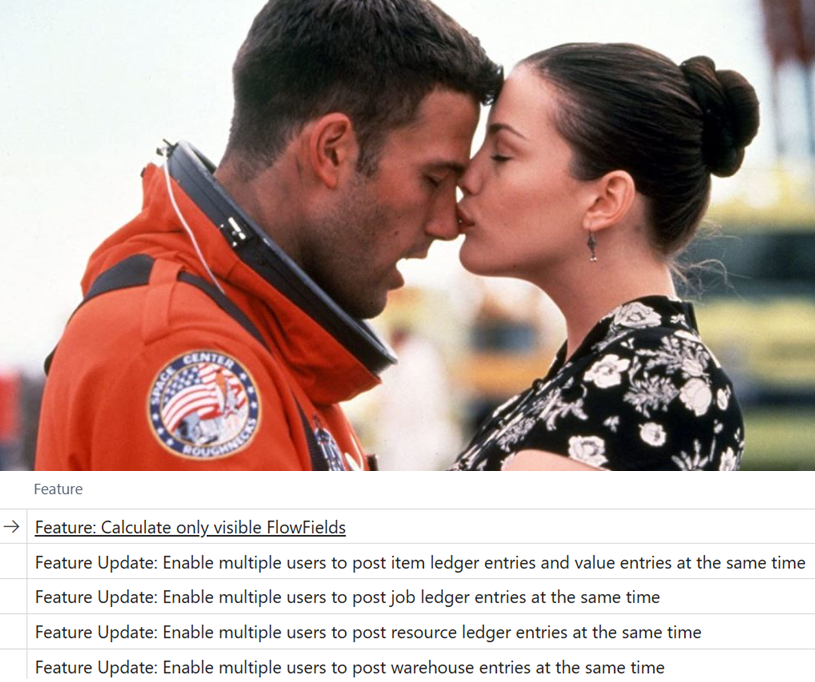
- UX: Calculate only visible FlowFields
Go to feature management. Below the feature that maybe you want to enable from yesterday (and the maybe is ironic – I know to explain that -).
This was a feature cough… (bug fix)… cough awaited since the advent of Web Client looooooooooong time ago. The old Windows Client was smart enough to avoid unnecessary Flow Field (FF) calculations related to fields explicitly kept hidden or dynamically hidden in the client, using a Boolean value in the Visible property.

…C’mon, too many talks. This deserves a simple super-easy example with a List
page 50122 "Customer List FF"
{
    ApplicationArea = All;
    Caption = 'Customer List FF';
    Editable = false;
    PageType = List;
    SourceTable = Customer;
    UsageCategory = Lists;

    layout
    {
        area(content)
        {
            repeater(Control1)
            {
                ShowCaption = false;
                field("No."; Rec."No.")
                {
                    ApplicationArea = All;
                }
                field(Name; Rec.Name)
                {
                    ApplicationArea = All;
                }
                field(AnyCalcValue; Rec.AnyCalcValue)
                {
                    ApplicationArea = Basic, Suite;
                    Visible = ShowValue;
                }
            }
        }
    }

var
    ShowValue: Boolean;

    trigger OnInit()
    begin
        ShowValue := Confirm('Show FlowField?', true, false);
    end;

}
and a dumb table extension
tableextension 50122 CustomerTableExt extends Customer
{
    fields
    {

        field(50122; AnyCalcValue; text[100])
        {
            Caption = 'Any Calculated Field';
            Editable = false;
            CalcFormula = max("Cust. Ledger Entry".Description);
            FieldClass = FlowField;
        }
    }
}
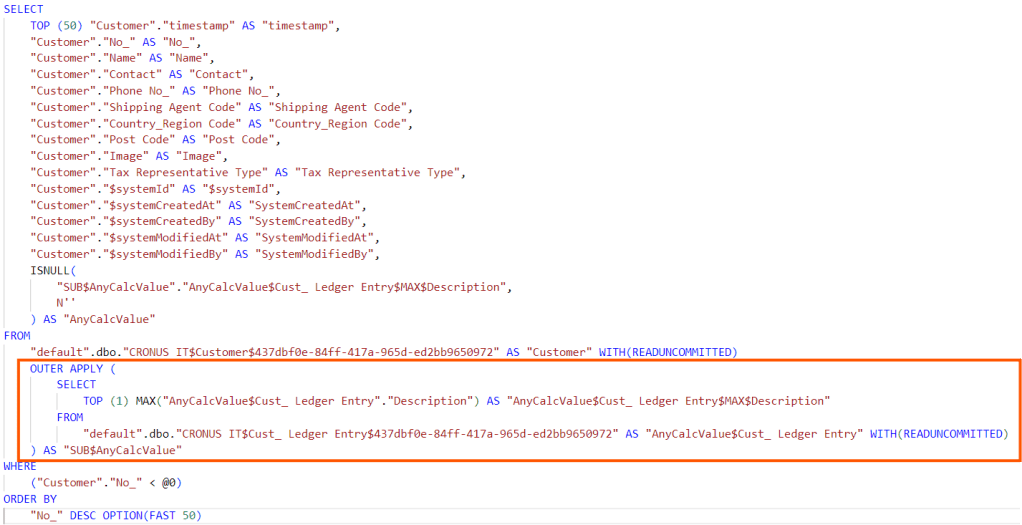
When selecting the option to display the FF

The query has the OUTER APPLY to get the value for the dynamically visible FF.
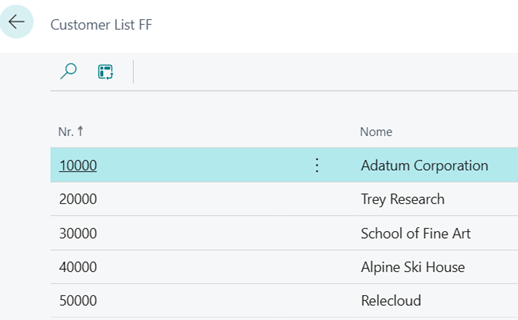
Running again the repro and selecting not to show the FF, from the confirmation dialog:
The platform sends a request without instructing SQL to get the hidden calculated value.
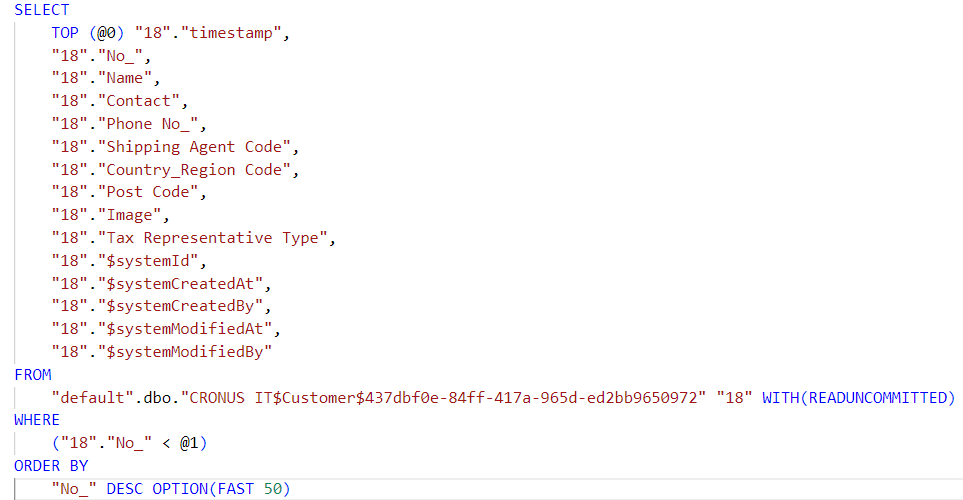
Say bye-bye (Ciaone !!!!) to all now useless hidden OUTER APPLY ! The Armageddon is coming…

- HIGHER CONCURRENCY
It all started with version 25.x (2024 Wave 2) and use of NumberSequence object for Warehouse Entry table. It is obvious that we are enabling that consciously in all our customers (SaaS and On-Prem, it does not matter).
But in this version, oh boy. It’s NumberSequence explosion!!!
In the end, you could (probably you SHOULD) opt-in the enablement of these features:

and you will get the following tables enabled for a higher concurrency
- Warehouse Entry
- Item Ledger Entry (BOOOOOOM !!!!!… I fainted)
- Value Entry (BADABOOOOM!!!! … I fainted, again)
- Resource Ledger Entry
- Job Ledger Entry
- Capacity Ledger Entry
- Phys. Inventory Ledger Entry
Yes, you read perfectly well. This is something that is not even close at what it was in Dynamics NAV – if you are coming from this world, you got me what I mean –.
It took quite some time (some decades) but we are there. To allow for a higher concurrency. And I am waiting for this like a new Aerosmith live concert at the stadium. YES.
Since the implementation pattern is almost like Warehouse Entry, you might be VERY careful in
- Refactoring your AppSource app / PTEs code in relation to the potentially non-sequential Entry No. of records.
- implementing or refactoring your Indexed View structures (aka V-SIFT or SIFT Indexes), to avoid deadlocking. Most of the time, you just need to add the field “SIFT Bucket No.” to the key and you are good to go.
Related to point b., this is just an example of how this has been implemented in v26 for Item Ledger Entry.

And it is assigned when doing an INSERT of a record
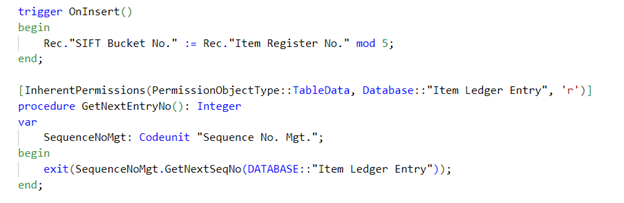
And Keys with SIFTs like Key2, Key4 and Key6 are implementing them

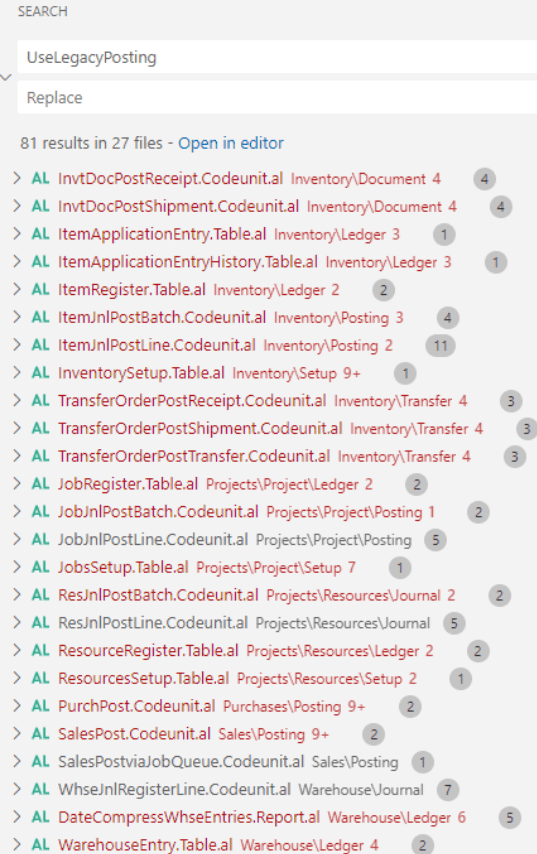
Related to point a. , just search for UseLegacyPosting keyword in the base application and you will see how all of this has been implemented.
- Missing Index page with impact columns
I know. With on-premises, this query combo of DMV is one of the mostly used since I was a kiddo (gosh… when I was a kiddo there were even no cell phones). But in the on-line version, these last additions are super pure gold, to determine in advance the potential effectiveness of the index implementation.
You do not know what I am talking about? Then
- Run Web Client
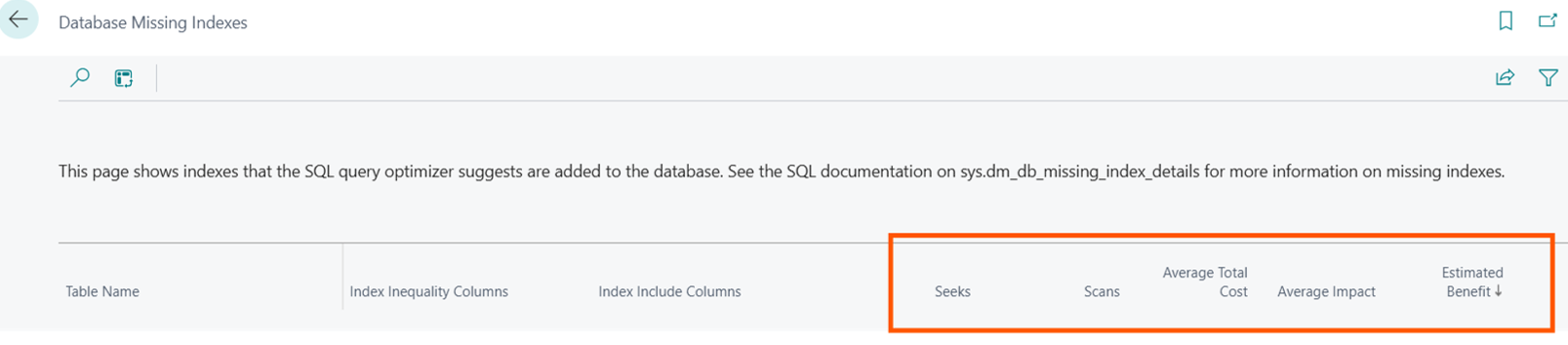
- Search for Database Missing Index page in v26 (2025 Wave 1)
VOILA’
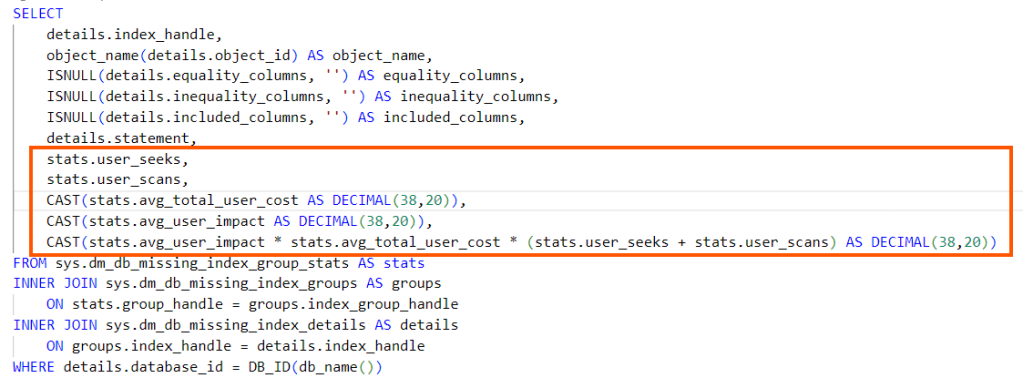
And this is the query that runs behind the scenes:
HINT: you also have the SQL Statement populated under the hood, but it is not shown in this page nor you can add that using the personalization feature.
BUT you can use Page Inspector (CTRL+ALT+F1) to check the statement field. Unfortunately, you have to scroll down, line by line.
Ah. Still don’t get it?…
- Run Web Client
- Search for Database Missing Index in v25 (2024 Wave 2) or lower versions
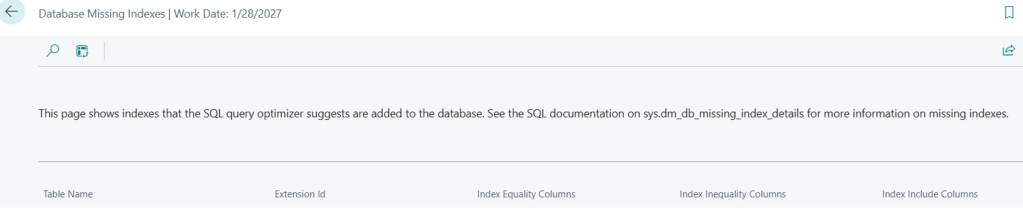
And this is the simpler query that runs behind the scenes:
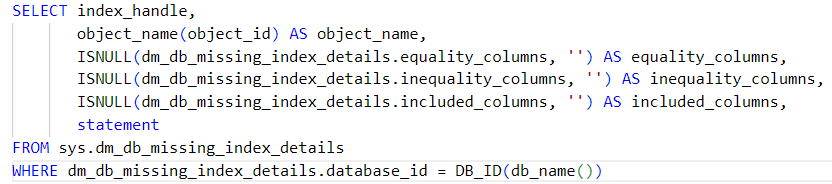
See?

What are these newly added columns for?
This is well described by Microsoft : https://learn.microsoft.com/en-us/sql/relational-databases/system-dynamic-management-views/sys-dm-db-missing-index-group-stats-transact-sql?redirectedfrom=MSDN&view=sql-server-ver16
- Seeks. (Number of seeks caused by user queries that the recommended index in the group could have been used for.)
- Scans. (Number of scans caused by user queries that the recommended index in the group could have been used for.)
- Average total cost (it will give you an idea of the relative cost of the query)
- Average impact (how much the query cost could be reduced)
- Estimated Benefit (the relative value of implementing the suggested index)
Believe me, when you have 400+ index suggestions, getting to know the impact is vital… it is time spared to get a life.
And ALL OF THIS in one single version.
In this Armageddon.. we win, Grace. Vinciamo Noi..

 Dynamics 365 Business Central tales, myths, legends. And something serious.