

Disclaimer: this is a serious post. So that: poker face and let’s go.
One of the biggest mistake that many does, is to assimilate Dynamics 365 Business Central On-Premise and SaaS backend structures.
They are absolutely not the same. You could think of them as two brothers, but far away from being twins. They have very big differences.
Let’s start from the basics: SaaS backend structure uses Azure SQL databases in Elastic Pools.
Do you want me to explain what are Elastic Pools? Naaa, Copilot has a better and (maybe) less baroque one.
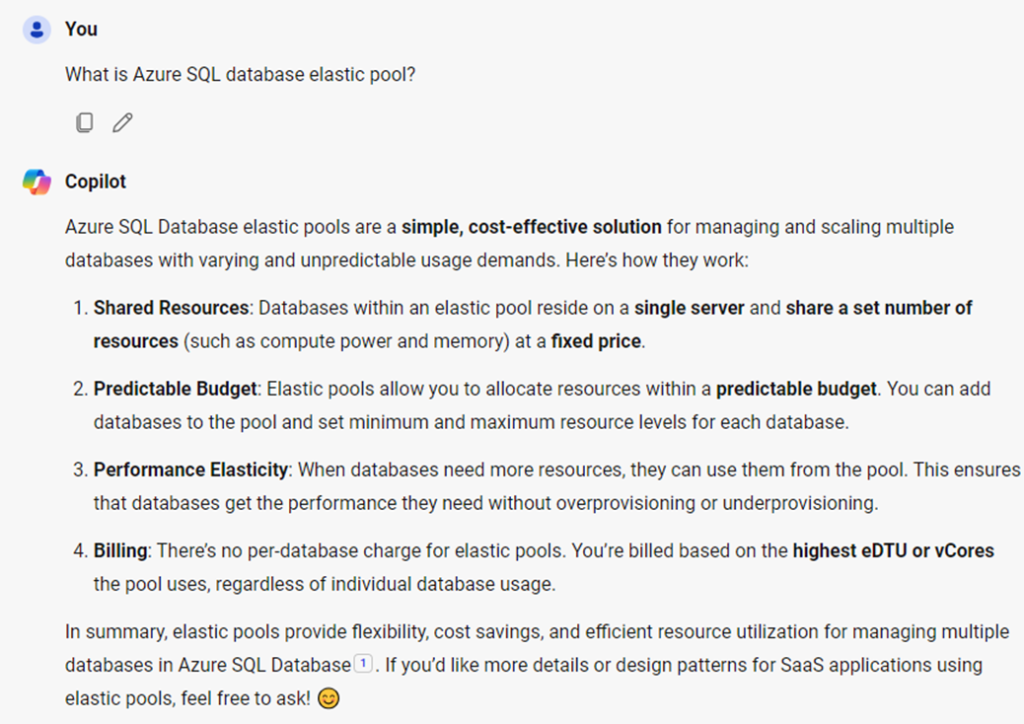
There are 2 key point of interest: shared resources and performance elasticity.
All the rest are practically saying that this feature is optimal if you want to save money as super large database hoster. If you want to know more about it, just read Manage multiple databases with elastic pools – Azure SQL Database | Microsoft Learn.
And do not tell me that you do not know it. I am not spoiling anything; it was already announced at BC TechDays in 2017.
What if some databases cannot cope with the current resource pool and identified as so-called “noisy neighborhood”? Most likely, they are marked to be moved into another pool by the Dynamics 365 Business Central Pool Optimizer Service or granted to have more DTUs (this I do not know, honestly). Again, if you want to know more about it or simply have a flavor of it, just read Resource management in dense elastic pools – Azure SQL Database | Microsoft Learn

But this blog is not about Elastic Pools and how these are working, this is related to Read-Only replica capability (and, overall, availability).
Dynamics 365 Business Central supports redirecting calls to a database node that allows read-only in a structure that is configured to have replicas since 2020 Wave 1 release (version 16.x).
Which are the objects whom transactions could be offloaded to the read-only replica?
- Page (API / OData)
- Report
- Query (API / OData)
By simply specifying during development the DataAccessIntent property : DataAccessIntent Property – Business Central | Microsoft Learn.
NOTE: to enable this feature in API/OData Pages, also Editable = false must be added, similarly to the following:
DataAccessIntent = ReadOnly;
Editable = false;
Everything you are defining at design time is reflected in a standard list page 9880 called “Database Access Intent”:
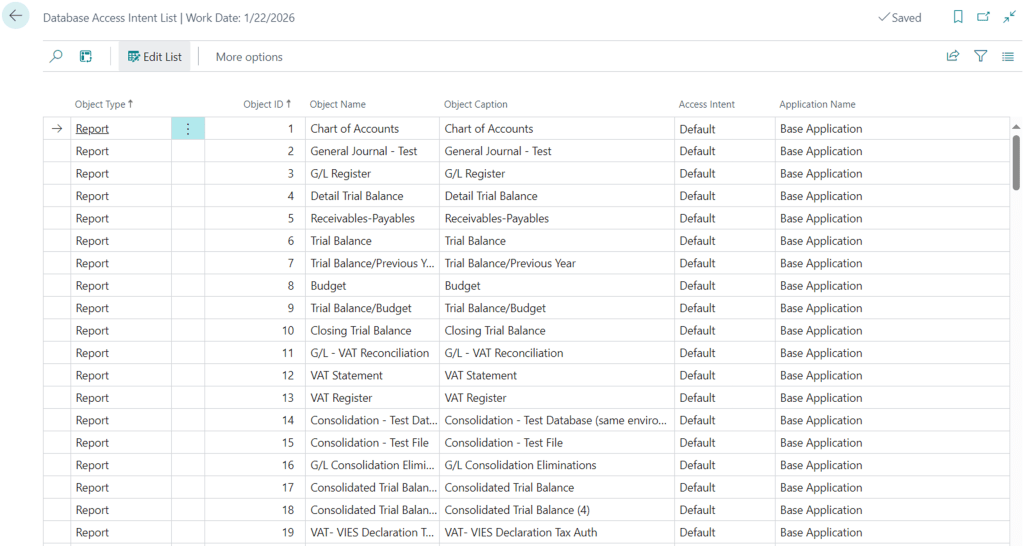
The Default access intent is the one specified in the object at design time (if not specified, the default is Read-Write).
The beauty and clever implementation of this page is that users could (should) override the default behavior in order to have a granular distribution of what should go through the transactional node or through the read-only node. It is trivial to say that all of these objects should never ever issue any write transaction (Insert, Update, Delete, Rename, etc.) or, if redirected to the read-only node, a runtime error will be thrown.
Rewriting the definition of read-only replica in my own style:
is like having 2 SQL Server databases where you could separate a (discrete) part of the reads from the writes, making the transactional node working more efficiently, hence increasing performances.
This feature is supposed to work for both On-premises and Online version, hence supports both SQL Server and Azure SQL Server databases.
You can read more how to configure it for on-premises here: Configuring a Database for Read Scale-Out – Business Central | Microsoft Learn. And the benefits of offloading the workload to the read-only replica here : Offload workload to secondary availability group replica – SQL Server Always On | Microsoft Learn
So far, so good. Interesting?
BAH. Probably not that much. Maybe you have been intrigued by having two SQL Server databases where to issue queries, instead of one.
Let’s make it a bit more spicy, then.
First and foremost: read-only feature on-premises can only be enabled with the Enterprise Edition for SQL Server. Yes, you understood correct. Standard Edition allows for basic replicas. And basic replicas do not implement Read-Only feature. This means, in shorts, that if you want to have this feature on-premises, you must purchase quite expensive $$$ Enterprise licenses.
What about the online version? (and this is more spicy)
Sandboxes starts with a very low tier and they never ever will have a read-only replica. They have not any automatic scaling feature at all. This will, then and again, prevent you from experiment anything related to it from a development and/or performance perspective. It is (sadly) a no go. It is easy to say that if you want to run performance tests in sandboxes using, e.g. BCPT (Business Central Performance Toolkit), this is yet another missed feature that would let you abandon this tool online (but you can still use it on-premises with profit, since you have full control over the backend and decide about configuration and resources).
Fair enough. We know that sandboxes are just pure application development playgrounds (unfortunately). And Productions?
Remember we talk about elastic pool earlier? You do?… This means that you are still with me in this endeavor. I am truly surprised.
Elastic pools are not free giveaway, of course, and they have their own purchasing model and pricing tiers. Basically, there are 2 different purchasing models:
- eDTU (elastic Database Transaction Unit)
- vCore (virtual Cores)
The main difference between the two is highlighted in the documentation:
DTU-based purchasing model – Azure SQL Database | Microsoft Learn
“while the DTU-based purchasing model is based on a bundled measure of compute, storage, and I/O resources, by comparison the vCore purchasing model for Azure SQL Database allows you to independently choose and scale compute and storage resources. The vCore-based purchasing model also allows you to use Azure Hybrid Benefit for SQL Server to save costs, and offers Serverless and Hyperscale options for Azure SQL Database that are not available in the DTU-based purchasing model.”
And also
“The vCore purchasing model used by Azure SQL Database provides several benefits over the DTU-based purchasing model:
- Higher compute, memory, I/O, and storage limits.
- Choice of hardware configuration to better match compute and memory requirements of the workload.
- Pricing discounts for Azure Hybrid Benefit (AHB).
- Greater transparency in the hardware details that power the compute, that facilitates planning for migrations from on-premises deployments.
- Reserved instance pricing is only available for vCore purchasing model.
- Higher scaling granularity with multiple compute sizes available”.
Let’s say that product group opted for vCore purchasing model.
NOTE: It is my own assumption here (at least, this is what I would opt for the best scalability and class A service) – and I am ready to review and change this blog post anytime, if needed.
vCore purchasing model has currently 3 different tiers:
- General Purpose
- Business Critical
- Hyperscale
Hold your horses and dreams and forget about Hyperscale. Most probably, this is too costly for the SMB range. Still.
Now read the offering for General Purpose and Business Critical here: vCore purchasing model – Azure SQL Database | Microsoft Learn and focus on read-only replica:
| Availability | GENERAL PURPOSE: One replica, no read-scale replicas, zone-redundant high availability (HA) | BUSINESS CRITICAL: Three replicas, one read-scale replica, zone-redundant high availability (HA) | HYPERSCALE: zone-redundant high availability (HA) |
Simply do the math: if you have a read-only replica then you are in the Business Critical tier, with all other goodies of its offering, as listed in the official documentation.
Are you interested now? I think so. But I am not over with this.
How do you know if you have a read-only replica? Despite being asked many times and by many good fellas (I am in this black list, of course), Microsoft still has not implemented any telemetry signal that identifies 1. If you have a read-only replica available 2. If your transaction is hitting the read-only node or not.
For point 2., there is no silver bullet, until Microsoft will provide a specific signal that is taking where the database output is coming into the NST and add that in the existing telemetry signals (e.g. long running SQL Queries, Report, Incoming Web Services – just to name some -).
For point 1., if you want to know if you have a read-only replica available, I did several trials in order to create a sort of probing like the following:
- Trial 1. Just create a report that perform a write in the OnPostReport and make it read-only in the development or change its database access intent to read-only in the client. When you will run that report, if it will be redirected to a read-only replica, it should throw an error.
RESULTS:
Well. You can try in a sandbox environment, online or on-premises, it will throw an error anyway. This means that probing that way is not an indicator weather if you have or not a read-only replica working for you under the hood.
- Trial 2. Create a read-only report against a probing table that has e.g. just Entry No. and a Description. Add an action to run the report with selectlatestversion to avoid hitting NST cache. This should always get through SQL Server and if it goes to the replica, it should get values before synchronization.
RESULTS:
Again, a no go. Replica synchronization has always been faster for me and I always have the right values, even if I am super-fast in insert or update data and run the report right after. Also this probe does not fly, unfortunately.
If you have any way to find out if you have a read-only replica available online, just let me know in the comment.
Me, personally, I will not quit asking Microsoft to have a custom dimension added in the relevant signals. And I also wish that EVERY production environment could start since day 1 with this feature implemented and, of course, a way to use BCPT in pre-production environments online.
CONCLUSION AND TAKEAWAYS
- Decoupling part of the READ workload into the replica is super useful, overall in scenarios where you have a lot of API or long running read-only reports.
- [Online] Having a read-only replica available in the online version means that you are in a quite high-level of Azure SQL Server tier.
- [Online] Sandboxes does not have a read-only replica.
- [Online] There is no way to know if your online production environment has a read-only replica available (at least, that I know of).
- [On-Premise] If your customer have a SQL Server Enterprise cluster with 2 or more nodes, it should be a good choice to enable the read-only feature and be sure to have the code for report, queries and API pages refactored to make a discrete performance benefit from it.
 Dynamics 365 Business Central tales, myths, legends. And something serious.
Finally someone is blogging about read scale-out!
Unfortunately this can from a cynic point of view sound like a typical washing powder commercial “Now our product have this new super new ingredient that will make your performance problem go away”.
You buy it and then wonder, how can I verify that it is being used?
If we have two databases, shouldn’t there a performance indicator for both? So if I run a real heavy reading report/api/query and then change the access intent to read it should be visible with lower workload on the main SQL but also you really want a graphical view that the workload was moved to the second SQL.
Btw, the official documentation for BC read out-scale is located here:
Using Read Scale-Out for Better Performance – Business Central | Microsoft Learn
LikeLiked by 1 person