
Last night I said BASTA! That was the last time I would have searched for standard telemetry signal meanings. And I had some fun with it.
In a couple of click, I have exported the list of signals from
Telemetry Event IDs in Application Insights – Business Central | Microsoft Learn
and (abracadabra) transformed into a JSON and uploaded into
raw.githubusercontent.com/duiliotacconi/DT.Telemetry/main/JSON/SignalDefinitions.json
After that, I have changed the original ingestion query with the following (Download here; https://github.com/duiliotacconi/DT.Telemetry/blob/main/DATA%20INGESTION/DataIngestion.kql):
let _entraTenantId = '<yourEntraTenantId>';

let _environmentType = '<yourEnvironmentName>';

let _environmentName = '<yourEnvironmentName>';

let _startTime_Ingestion = datetime(<datetime>);

let _endTime_ingestion = datetime(<datetime>);

// EventStatistics

let signalDefinitionTable = externaldata(EventID :string, Area:string, Message:string)[h@'https://raw.githubusercontent.com/duiliotacconi/DT.Telemetry/main/JSON/SignalDefinitions.json']with(format='multijson');

let traceEvents = traces

| where timestamp between (_startTime_Ingestion .. _endTime_ingestion)

| where customDimensions.aadTenantId has_any (_entraTenantId)

| where customDimensions.environmentType has_any (_environmentType)

| where customDimensions.environmentName has_any (_environmentName)

| project timestamp

, EntraTenantId = tostring(customDimensions.aadTenantId )

, EnvironmentType = tostring(customDimensions.environmentType )

, EnvironmentName = tostring(customDimensions.environmentName )

, EventId = tostring(customDimensions.eventId)

| summarize EventCount=count() by EntraTenantId, EnvironmentName, EnvironmentType, EventId

;

let pageViewEvents =

pageViews

| where timestamp between (_startTime_Ingestion .. _endTime_ingestion)

| where customDimensions.aadTenantId has_any (_entraTenantId)

| where customDimensions.environmentType has_any (_environmentType)

| where customDimensions.environmentName has_any (_environmentName)

| project timestamp

, EntraTenantId = tostring(customDimensions.aadTenantId )

, EnvironmentName = tostring(customDimensions.environmentType )

, EnvironmentType = tostring(customDimensions.environmentName )

, EventId = tostring(iff(isempty(customDimensions.eventId), customDimensions.eventID, customDimensions.eventId) )

| summarize EventCount=count() by EntraTenantId, EnvironmentName, EnvironmentType, EventId

;

traceEvents

| union pageViewEvents

| join kind=leftouter signalDefinitionTable

on

$left.EventId == $right.EventID

| project

 ["Entra Tenant Id "] = EntraTenantId,

 ["Environment Type"] = EnvironmentType,

  ["Environment Name"] = EnvironmentName,

  ["Event Id"] = EventId,

  ["Area"] = Area,

  ["Message"] = Message,

  ["Event Count"] = EventCount

| sort by ['Event Count'] desc
To get :
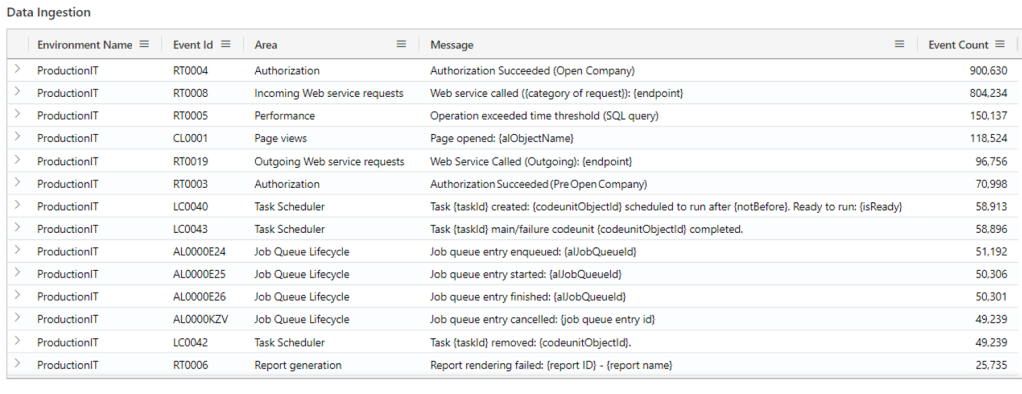
This was so easy, because KQL uses a super special operator:
externaldata operator – Azure Data Explorer & Real-Time Analytics | Microsoft Learn
that is capable of issuing HTTP requests, gather a JSON object and create automagically a table.
To be honest, I was inspired by Waldo and Morten in Episode 246: In the Dynamics Corner Chair: A Tale of Telemetry and Two Lists from DynamicsCorner.
If you are only interested in the technical side of this blog post, this is it. Export the data you need to complement your telemetry experience in e.g. a secure Azure Blob Storage and make use of this operator at will using the appropriate authorization method. Just remember data security and protection of Personal Information Identifier (PII) data.
Yes, but… where is the fun part?
Ok. If you are still reading. This is the fun part. And some interesting extra KQL operator.
Sometimes, on Monday especially, it is good to know what your life (and telemetry dashboard) reserves you. And read your tarot in advance.

So that, I have simply uploaded a tarot interpretation JSON
raw.githubusercontent.com/duiliotacconi/DT.Telemetry/main/JSON/SignalDefinitions.json
and with just a bit of maquillage it was easy to:
- Get the whole JSON
let signalDefinitionTable =( externaldata(tarot_interpretations : string)[h@’https://raw.githubusercontent.com/duiliotacconi/DT.Telemetry/main/JSON/Tarot.json’%5Dwith (format=’multijson’)
- Parse the JSON (see parse_json() function – Azure Data Explorer & Real-Time Analytics | Microsoft Learn and mv-expand operator – Azure Data Explorer & Real-Time Analytics | Microsoft Learn)
| extend tarots = parse_json(tarot_interpretations)
| mv-apply tarots on (
project Name = tostring(tarots.name),
Rank = tostring(tarots.rank),
Suite = tostring(tarots.suit),
FortuneTellings = tostring(tarots.fortune_telling),
Keywords = tostring(tarots.keywords),
Meanings = tostring(tarots.meanings)
)
- Get just one random row using https://learn.microsoft.com/en-us/azure/data-explorer/kusto/query/sample-operator
| sample (1)
- Transpose record columns (see narrow plugin – Azure Data Explorer & Real-Time Analytics | Microsoft Learn)
| evaluate narrow()
| project Label = Column, Value = Value
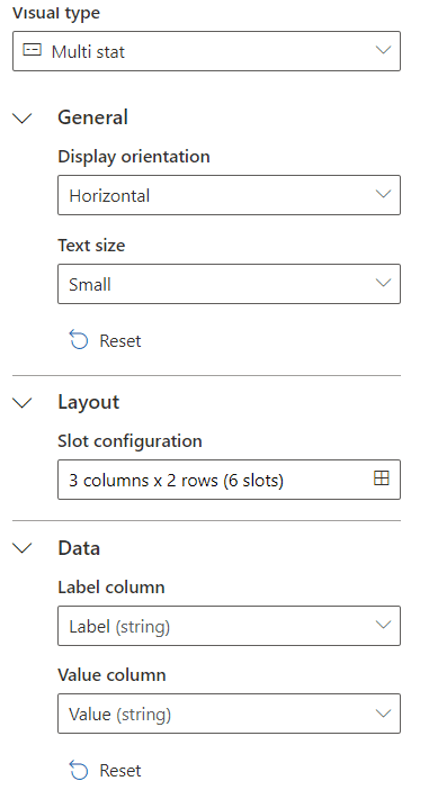
- Use a Multi Stat renderer (visual type)
Et voilà… Your destiny is served directly in your dashboard.
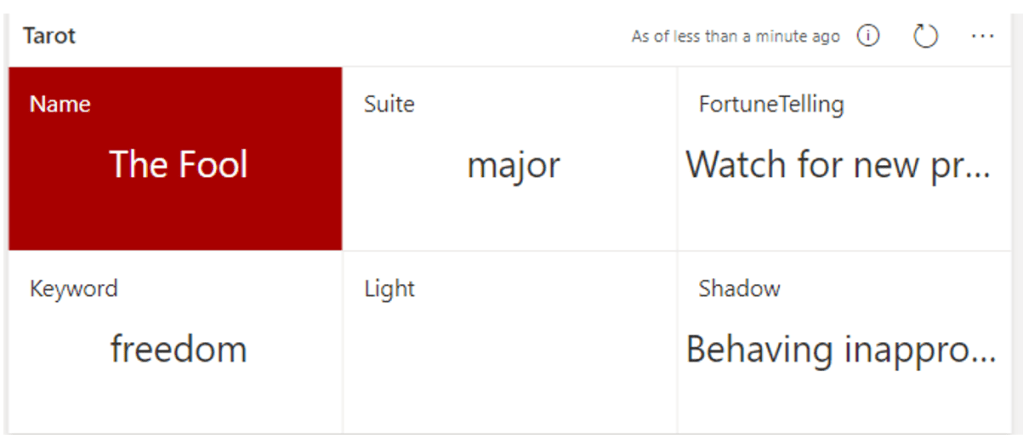
You can find the ready-to-use KQL query here:
https://github.com/duiliotacconi/DT.Telemetry/blob/main/MISC/Externaldata.Tarot.kql
Have fun!
 Dynamics 365 Business Central tales, myths, legends. And something serious.
Leave a comment